
Instagram Downloader
Save public Instagram videos, photos, Reels, IGTV and carousels when you have a right to keep a copy. No account and no media library on our servers.
Save public Instagram videos and photos
SaveFromMins is a web tool for keeping a local copy of public Instagram videos, photos, Reels, and IGTV items — when you already have a right to do so. It is meant to work in a browser on a phone, tablet, or computer, without an account and without a media library on our servers.
The paste box is the same on every tool page. Choose a tab if you want a page that is written around a specific format, or stay on the homepage for a general Instagram downloader.
A faster way to come back to the form
Bookmark SaveFromMins or pin the tab on your phone so you can return to the paste box in one tap.
Copy a public Instagram link from the app or the website, then paste it here. You do not need to install anything.
When saving is online, the result should open as a file on your device rather than as an archive on this website.
If a post is not visible while you are logged out of Instagram, it is out of scope for this tool.
Why people look for a careful Instagram downloader
A useful saving tool should be easy to reach, clear about limits, and honest when a file cannot be fetched the right way.
Straightforward flow
Copy a public link, paste it, and — when the service is live — save the file without creating an account.
Works in the browser
The same layout is meant for phones, tablets, and desktops. There is no requirement to install an app to use the site.
Honest about quality
We will follow the public rendition that a compliant source can provide, instead of promising a higher resolution than the post actually has.
Public and login-free
We do not ask for Instagram passwords or session cookies, and we will not try to open private accounts.
What you can open from SaveFromMins
Each format has its own page so you can read about that use case, but the form itself stays simple: one public URL at a time.
Video downloader
The video page is written for public feed videos, including clips that sit inside a multi-item post. It is not a place to republish someone else’s work.
VideoPhoto downloader
Use the photo page for public stills, whether a post has one image or several. Carousel albums are covered on their own page as well.
PhotosReels downloader
Public Reels are short vertical videos. The Reels page explains that format and the same copyright rules that apply to any other clip.
ReelsIGTV downloader
Longer public videos still belong to their creators. The IGTV page is for those public, long-form uploads when you have a right to keep a copy.
IGTVCarousel downloader
Album posts can mix photos and videos. The carousel page is for listing those public slides rather than grabbing only the first frame.
Carousel
How to save a public Instagram post
Three steps for using SaveFromMins with a public Instagram link.
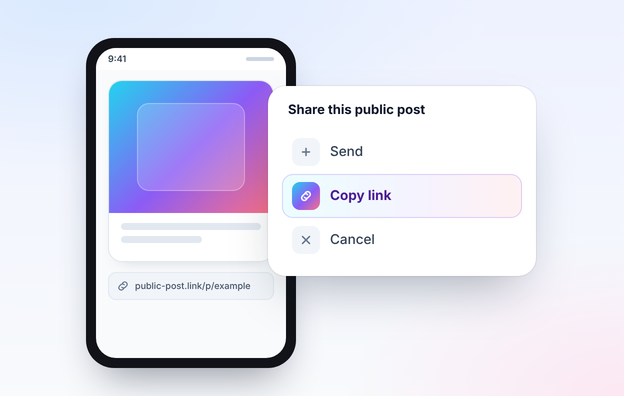
Copy the public link
In the Instagram app or website, copy the URL of a public video, photo, Reel, story, highlight, IGTV item, or carousel that you are allowed to keep.
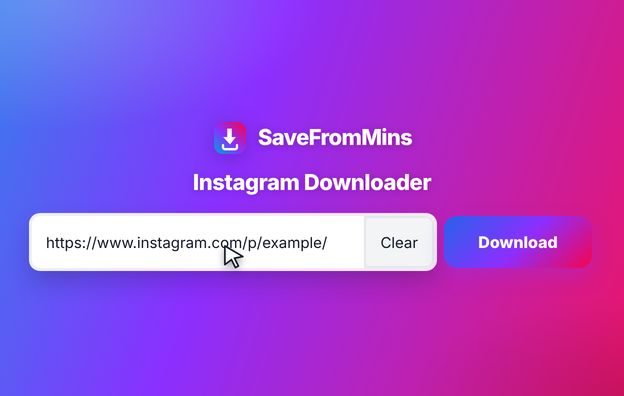
Paste it here
Return to SaveFromMins and paste the link into the box. Do not paste private URLs or login information.
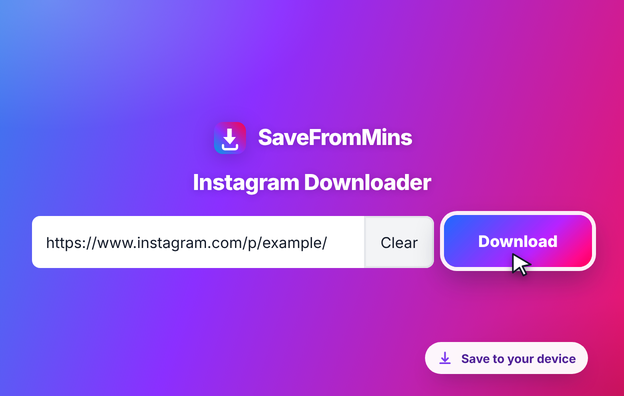
Save when the tool is available
When a compliant public-data method is live, choose the quality you need and save the file to your device. Until then the form explains that saving is temporarily unavailable.


Frequently asked questions (FAQ)
Common questions about SaveFromMins, public-only saving, and why downloads are paused.
What is SaveFromMins?
SaveFromMins is a browser-based helper for saving public Instagram videos, photos, Reels, stories, IGTV videos, carousels, and highlights to your own device. It does not require an Instagram login and does not keep a media library.
Is downloading Instagram content legal?
Copyright stays with the creator. Instagram’s terms also restrict unauthorized copying and automated access. Saving a public post for personal use can still conflict with those terms. Do not reuse, republish, or monetize someone else’s work without permission.
Why is the downloader temporarily unavailable?
We will only fetch public data through a method that does not bypass logins, rate limits, or unofficial private APIs, and we will not host the files. No compliant method is reliable enough yet, so the save action is paused instead of shipping a scraper.
Can I save posts from private accounts?
No. If a post is not visible in a logged-out browser, SaveFromMins will not fetch it. Never provide Instagram passwords or session cookies.
Do you store the videos or photos?
No. SaveFromMins does not host, cache as a library, or index other people’s media. When a compliant fetch exists, files should pass through only long enough to reach your device.
Do I need an account?
No account is required to use the site. The paste box is the entire flow.
Which formats will you support?
The site is structured for videos, photos, Reels, stories, IGTV, carousels, highlights, and public profile viewing. Actual file delivery stays off until a compliant source is in place.
How do I ask for a takedown?
Use the DMCA page and email helloenhancer@gmail.com with the required notice details. We will review valid copyright complaints.
What quality should I expect?
When saving is online, quality will follow the public rendition a compliant source can provide. We will not promise a higher resolution than the public post actually offers.
Is SaveFromMins affiliated with Instagram?
No. SaveFromMins is an independent site and is not endorsed by Instagram or Meta Platforms, Inc.
Why might a public link still fail later?
Instagram can change how public media is served, a post can be deleted, or a rate limit can apply. We would rather show a clear error than guess at unofficial workarounds.